Display Player ID and Loyalty Tier Status of Casino Patrons
Stay displays the player ID and loyalty tier status of casino patrons in the following areas when integrated with a Casino Management System:
-
Search
-
Reservation
-
Reports
This feature also allows users to choose not to override the VIP status of the patron based on the loyalty tier status when the loyalty tier information sent from a CMS is mapped with a VIP status in Stay (All Settings ➜ Accounting ➜ Casino Management ➜ Casino Tier & VIP Status).
Contact Agilysys to set up the CMS integration for the property.
Feature Settings
The following feature settings must be enabled to use this feature:
|
Permission |
Description |
|---|---|
|
When this feature setting is enabled, the loyalty tier status of a patron is displayed in the Reservations tab of the Search screen. |
|
When this feature setting is enabled, the player ID of a patron is displayed in the Reservations tab of the Search screen. |
|
When this feature setting is enabled, the VIP status of a patron remains unchanged in reservations/profiles regardless of the mapping configured in Stay. |
Search Screen
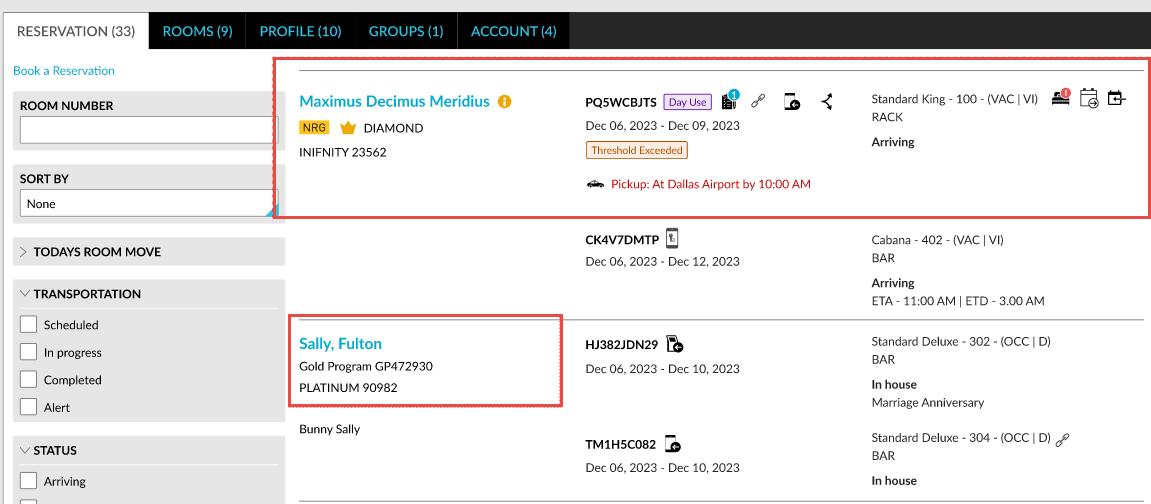
When users access the Reservations tab of the Search screen, the loyalty tier status of a patron is displayed below the guest name when the feature setting is enabled.
Reservation Screen
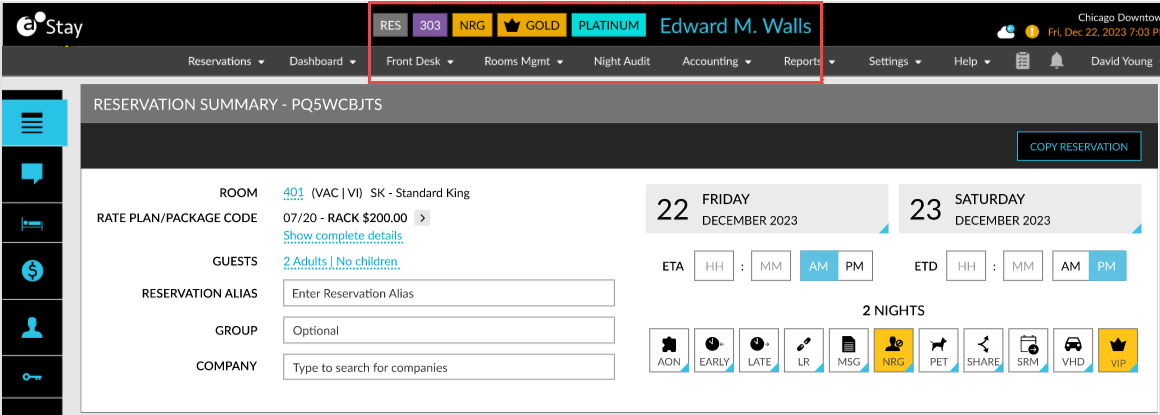
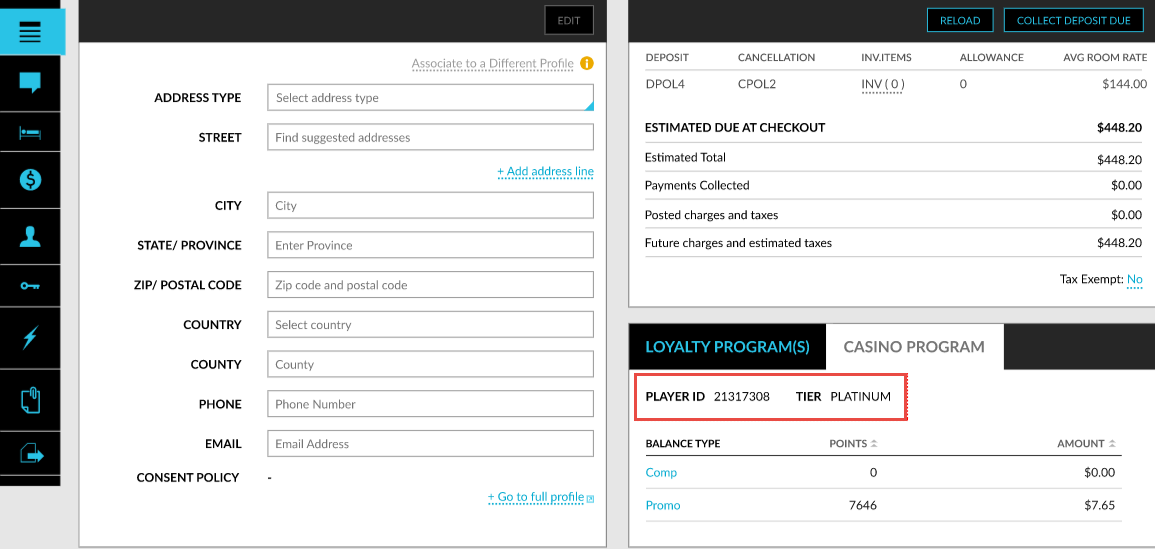
When users access a reservation, the loyalty tier status and the player ID of a patron are displayed in the Casino Program tab and next to the guest name of the reservation when the feature setting is enabled.